Mint & Redeem
Use Mint / Redeem to convert a supported stablecoin into its Overlaid Asset or exchange the base asset back into its underlying stablecoin.
Minting creates the Overlaid Asset. Redemption burns it and returns the corresponding stablecoin. Both follow a 1:1 token relationship rather than a market exchange rate.
You can mint and redeem from any supported chain, including through cross-chain flows.
| Action | You send | You receive |
|---|---|---|
| Mint | USDT | T+ |
| Redeem | T+ | USDT |
The examples below use USDT and T+. The same process applies to other supported asset families.
Mint an Overlaid Asset
Minting deposits your stablecoin into the protocol and delivers the corresponding Overlaid Asset to your wallet. For example, depositing 1,000 USDT produces 1,000 T+.
- Open Mint / Redeem from the sidebar and select Mint.
- Under Amount you send, select the stablecoin you want to deposit. Check that Amount you receive shows its corresponding Overlaid Asset.
- Enter the amount. Review the amount you will receive, your available balance and the displayed Gas Fee.
- If the form shows an approval button, such as Approve USDT, review and confirm the approval in your wallet. Wait for it to complete.
- Submit the mint transaction and confirm it in your wallet.
Once minting is complete, your stablecoin balance decreases and your corresponding Overlaid Asset balance increases.
Receiving T+ does not automatically give you sT+ or participation in staking yield. T+ is the liquid base asset.
To receive the staked representation directly from the underlying stablecoin, use the combined mint-and-stake option in the Stake flow instead.
See Stake & Unstake.
Redeem an Overlaid Asset
Redemption returns the stablecoin associated with your base Overlaid Asset. For example, redeeming 1,000 T+ returns 1,000 USDT under the protocol's redemption rules. It does not exchange T+ for a different stablecoin.
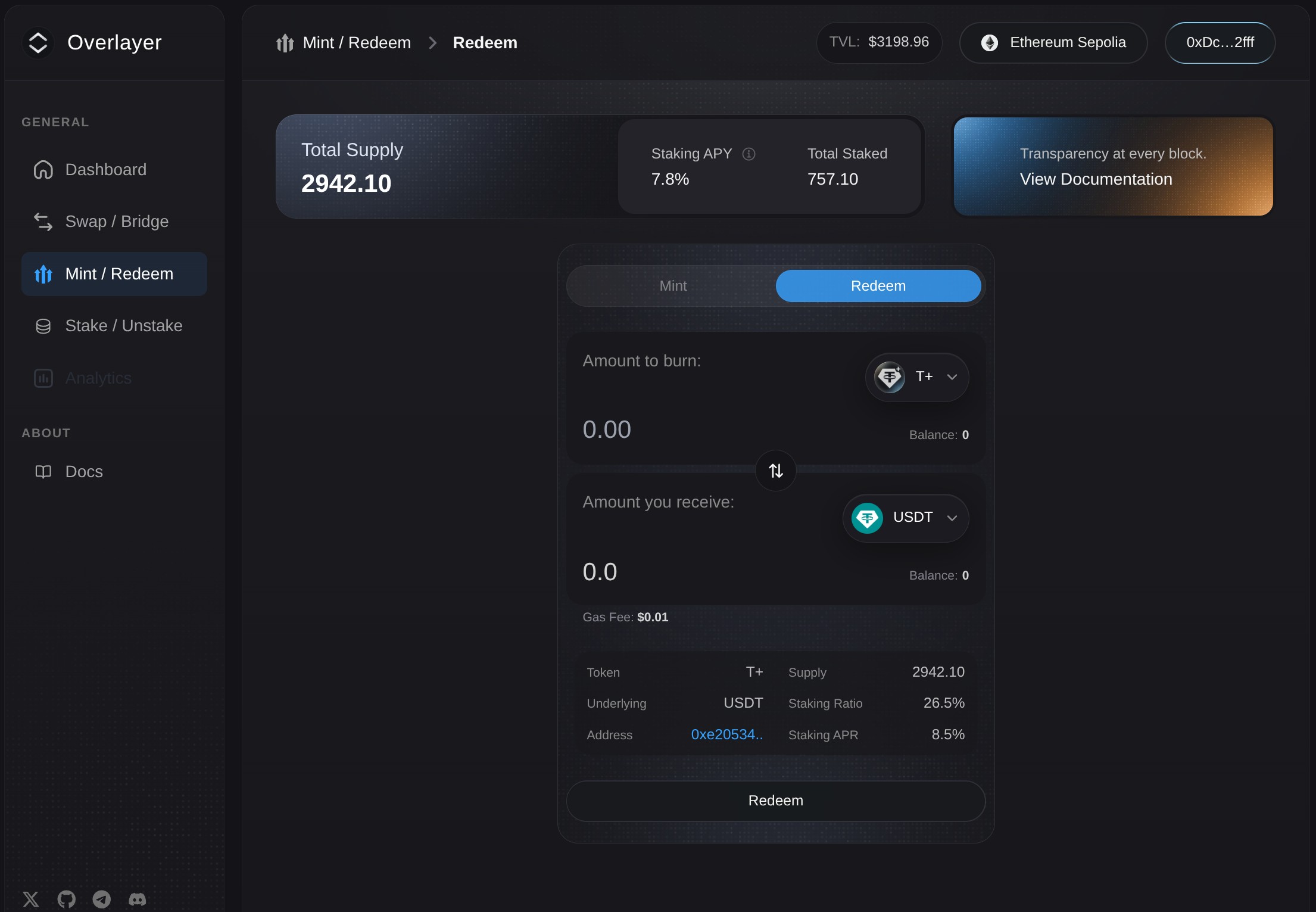
- Open Mint / Redeem and select Redeem.
- Under Amount you send, select the base Overlaid Asset you want to redeem.
- Enter the amount. Check the underlying stablecoin and amount shown under Amount you receive, then review the displayed Gas Fee.
- Select Redeem and confirm the transaction in your wallet.
Once redemption is complete, the redeemed Overlaid Assets have been burned and the corresponding stablecoin returned to your wallet.
The 1:1 relationship is measured in token units: 1 T+ corresponds to 1 USDT, not an independent guarantee of one U.S. dollar.